How residents choose text notifications
Program operator: Balboa Park Terrace Owners Association, using the public name Balboa Park Terrace HOA.
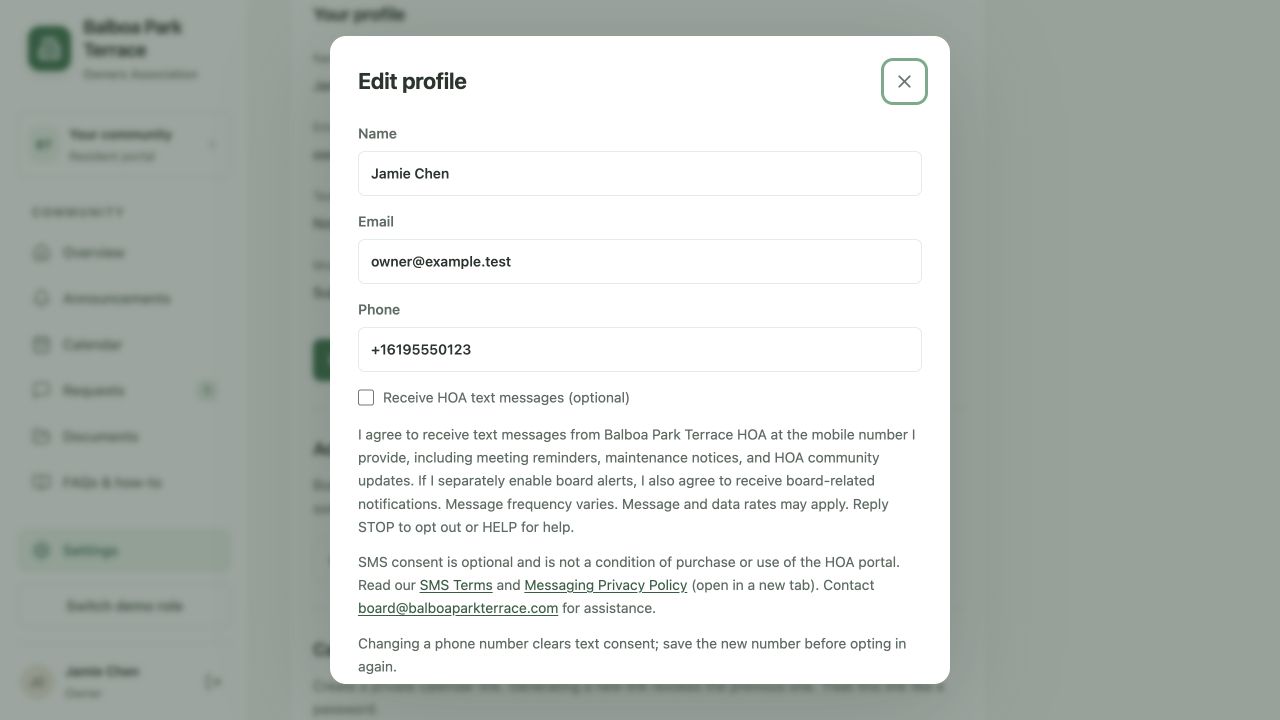
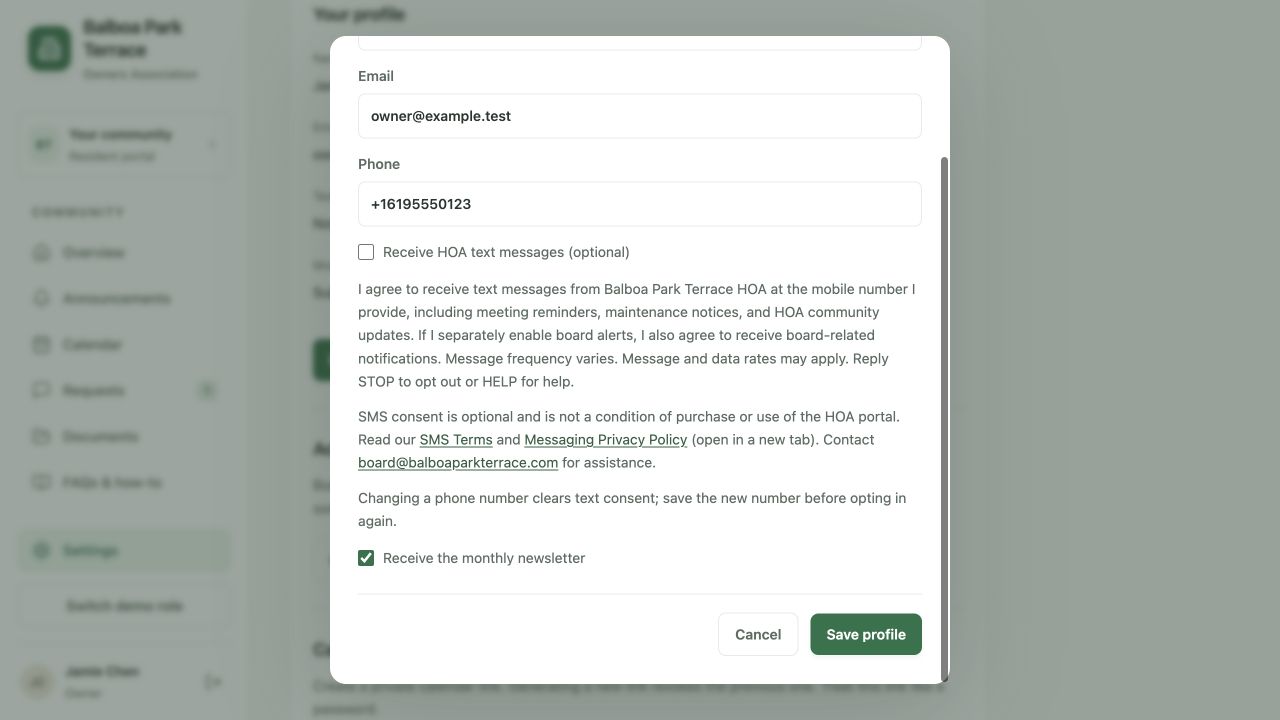
This page documents the actual portal consent screen using a test account and a reserved example telephone number. It contains no resident information. The portal is in pre-launch testing; these screenshots do not establish that any resident has enrolled or that SMS service is active.
Digital opt-in workflow
- A resident signs into the HOA portal and opens Settings → Edit profile & preferences.
- They enter and save their own mobile number. Changing a number clears text consent.
- They review the disclosure, SMS Terms, and Messaging Privacy Policy.
- They actively select the optional Receive HOA text messages checkbox and save their profile. The checkbox starts unchecked. Email newsletter preferences are separate.
Board members can separately select alerts for emergency requests and assigned activities. Those alerts also require SMS consent. Residents may withdraw SMS consent in the portal or by replying STOP after service activation.
Program scope and help
Messages include HOA meeting reminders, maintenance notices, and separately enabled board alerts. Message frequency varies. Message and data rates may apply. Reply STOP to opt out or HELP for help, or email board@balboaparkterrace.com.